2025/26 classes are fully booked

Please do not attend without a confirmed place

Booking for 2026/27 will open during the summer
DADA uses Payzone, a fully secured payment management system for all bookings.

If you had a DADA account on Easy Payments Plus, your account information has been migrated automatically, and is accessible if you use the same email address.

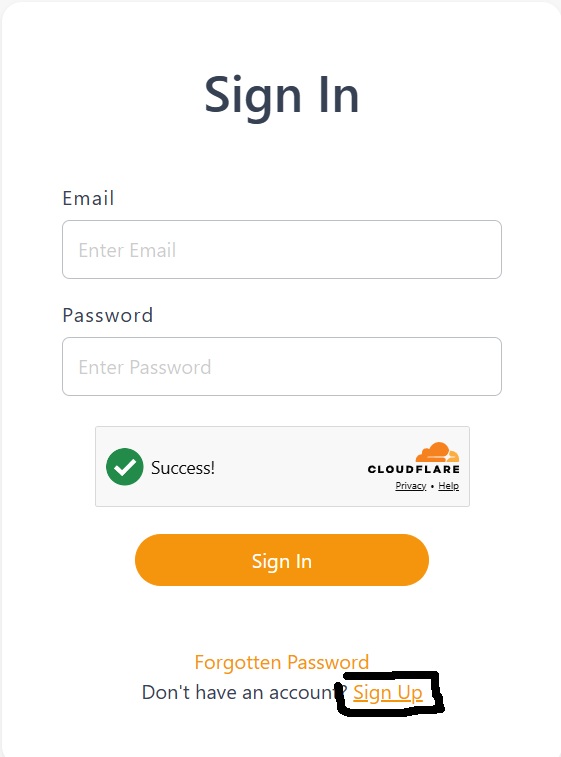
The first time you use this system, you must to "Sign Up"
(when you reach the Sign In page, select Sign Up)

Existing account holders this activates your migrated account (use same email address)
Follow the on-screen instructions, filling in some details, to complete the activation process

New account holders must to create an account in order to make a booking.

** Please tick to accept email and text notifications from DADA when completing sign up. 

For all subsequent visits you will simply "Sign In".

How to book a class
  1. Click the “Book a Class ” button to start.
  2. Search or filter classes by class type.
  3. Add class to your basket
  4. Keep adding classesto your basket to avail of sibling and multi- class discounts.
  5. Pay for all items in your basket to complete your  booking.
Can’t book your class of choice?

If a class is not showing, it means it is not currently bookable.

Classes fill up fast,  if you are unable to book the class of choice and cannot find an alternative, there is the option of joining the waitlist by emailing request to admin@dada.ie.